
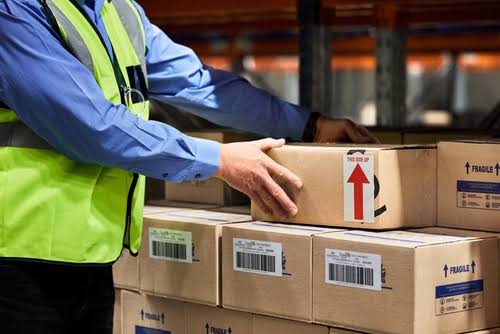
Why Is My Shipment Not Updating? The Hidden Reasons Behind Every Delay
Shipment not updating is one of those phrases that covers a surprising amount of ground. Sometimes it means a single package sitting quietly between two scans. Sometimes it means a multi-box order where half the items show movement and the other half don’t. And sometimes, especially for businesses, it means an entire truckload of freight that hasn’t shown a single new status in over a day, not because anything physically stopped moving, but because of how the tracking data itself gets transmitted.
In this guide, we’re covering the full range of reasons a shipment not updating actually happens, from ordinary consumer parcels all the way up to commercial freight and EDI-based tracking systems, since the causes and the fixes are genuinely different depending on which category your shipment falls into.
The One Root Cause Behind Almost Every “Not Updating” Shipment
Whether you’re looking at a single package or a full truckload, shipment not updating almost always comes down to the same underlying issue: tracking systems report events, they don’t report continuous location. A shipment can be moving the entire time while showing zero visible updates, simply because nothing has triggered a new data point yet, a scan, a terminal check-in, or a system sync.
Parcel Shipments: Why a Single Package Stops Updating
For ordinary consumer packages, shipment not updating typically means the item hasn’t crossed a scanning checkpoint recently. This is genuinely common and usually resolves within a normal transit window. We’ve covered this specific scenario in much greater depth in our guide on package tracking that hasn’t updated in days, which walks through scan gaps, carrier handoffs, and peak-season backlogs in detail. It’s worth noting that a single missed scan doesn’t necessarily mean the package sat still, it may have simply passed through a facility during an unusually high-volume period when not every parcel gets an individual scan before being loaded onto the next truck.
Multi-Package Orders: Why One Box Updates and Another Doesn’t
When an order ships in multiple boxes, it’s common for shipment not updating to apply to only some of them. Each package is scanned independently as it physically moves through the network, so one box reaching a facility slightly ahead of another, due to truck loading order, sorting lane assignment, or even which conveyor it happened to land on, can create a visible gap between two packages that shipped at the exact same time from the exact same location. This isn’t an error; it’s simply the reality of physical, parallel processing rather than a single, unified tracking event for the whole order.
Freight and LTL Shipments: A Completely Different Kind of “Not Updating”
This is where shipment not updating starts to mean something structurally different than it does for a parcel. Less-than-truckload freight is tracked at terminals rather than continuously by GPS, meaning visibility genuinely drops to zero between scans. According to a detailed 2026 breakdown of LTL tracking visibility challenges, the gap between terminal scans on a typical LTL shipment can run 8 to 24 hours, and a shipment moving across several states might only generate three total scan events across three full days of actual transit. During that entire window, shipment not updating doesn’t indicate a problem, it’s simply the normal visibility gap built into how LTL freight networks operate.
Full truckload (FTL) freight behaves quite differently. Because a single truck is dedicated to one shipment rather than consolidating multiple customers’ freight through terminals, FTL shipments are far more commonly tracked continuously via GPS, meaning shipment not updating is both less common and more worth investigating when it does happen on this specific mode.
How to Tell a Reporting Lag From an Actual Problem
Since shipment not updating can mean either “everything is fine, the data just hasn’t caught up” or “something has genuinely gone wrong,” it helps to have a clear checklist for telling the two apart. A reporting lag is far more likely when: the shipment is freight or international rather than a domestic parcel, the elapsed time is within the typical benchmark for that shipment type, no exception or disruption notice has been posted anywhere, and the last known location makes logical sense along the expected route. A genuine problem becomes more likely when: the elapsed time significantly exceeds the normal window for that specific mode, the last known location doesn’t logically fit the expected route, an explicit delivery or service exception has been posted, or multiple independent shipments on the same route are all showing the same unexplained gap simultaneously, which can indicate a broader disruption rather than routine reporting lag.
Ocean Freight and Air Cargo: Yet Another Layer of Delay
International ocean and air freight add even more latency to the tracking picture. As one detailed explainer on air freight tracking latency notes, shipment tracking in air cargo remains heavily dependent on EDI transmission even in 2026, layering the same batch-processing delay seen in LTL freight on top of the additional handoffs between airlines, ground handlers, and customs authorities. A container shipment crossing an ocean can show shipment not updating for days at a stretch simply because vessel position data, port handling updates, and customs clearance status all originate from different systems that don’t necessarily sync with each other in real time.
Ocean freight specifically compounds this further because a single container can pass through multiple independent parties before reaching its final destination: the origin port operator, the ocean carrier itself, a transshipment port if the route requires one, the destination port operator, customs authorities, and finally an inland trucking or rail provider. Each handoff between these parties represents another potential point where shipment not updating simply reflects one system waiting on another to report in, rather than any actual problem with the cargo itself. This is precisely why ocean freight shippers who need genuine real-time visibility increasingly rely on third-party visibility platforms that aggregate vessel-tracking satellite data directly, rather than depending solely on carrier-reported milestones that can lag the ship’s actual position by a day or more.
Why Real-Time Visibility Is Becoming the Industry Standard in 2026
The broader freight and logistics industry has been moving away from tolerating “shipment not updating” as an accepted cost of doing business. Real-time visibility platforms, increasingly built around GPS telematics, IoT sensors on high-value freight, and direct API integrations rather than legacy EDI feeds, have become a genuine competitive differentiator for logistics providers. Shippers managing time-sensitive or high-value freight are increasingly unwilling to accept an 8 to 24 hour blind spot between terminal scans, which is pushing more carriers to invest in continuous tracking technology even for LTL freight, historically the hardest mode to track in real time. This shift matters because it means shipment not updating, at least for freight, may become measurably less common over the next few years as more of the industry adopts real-time-first tracking infrastructure instead of retrofitting it onto decades-old EDI systems.
EDI vs. API: The Technical Reason B2B Shipments Update So Slowly
If you work with freight or wholesale shipments regularly, understanding this distinction explains a huge share of “why is my shipment not updating” confusion. Many carriers and logistics providers still transmit tracking data via EDI (Electronic Data Interchange), a decades-old standard that, as Redwood Logistics explains in detail, updates in batches every few hours rather than continuously. That means a shipment can experience a real, physical status change and still show shipment not updating on your end for hours simply because the EDI batch hasn’t run yet. Newer API-based tracking connections communicate in real time instead, which is why more modern logistics providers have been shifting away from EDI specifically to eliminate this exact kind of reporting lag.
The Retailer vs. Carrier Gap: Why Your Order Status and Tracking Disagree
Another surprisingly common cause of shipment not updating has nothing to do with the carrier at all. A retailer’s own order-status page and the carrier’s actual tracking page are two separate systems, connected by a sync process that itself runs on a delay. It’s entirely possible for a carrier to have scanned a package hours ago while the retailer’s own website still shows an older status, simply because that specific sync hasn’t run again yet. When this happens, checking the carrier’s tracking number directly, rather than relying solely on the retailer’s order page, often reveals more current information.
Common Myths About a Shipment Not Updating
Myth: No update always means no movement. This is one of the most persistent misunderstandings, especially in freight. A shipment not updating on the tracking page can still be physically moving normally; the data simply hasn’t caught up to reality yet, particularly with EDI-based systems.
Myth: Every carrier and mode reports on the same schedule. Parcel carriers, LTL freight terminals, ocean carriers, and air cargo handlers all operate on completely different reporting cadences, from near-instant scans to multi-hour EDI batches, so comparing “normal” wait times across shipment types isn’t meaningful.
Myth: Calling the carrier will always produce new information. If the underlying issue is a batch-processing delay rather than an actual disruption, a support agent often has access to the exact same data you do, and the update will appear on its own once the next processing cycle runs.
Myth: A shipment not updating for a full day is always cause for concern. For LTL freight specifically, an 8 to 24 hour gap between terminal scans is completely normal and expected, not a sign of a problem.
How Long Is Normal for Each Shipment Type?
- Standard domestic parcel: 24 to 48 hours without a new scan is common and rarely concerning.
- Multi-package orders: A one to two day gap between packages shipped together is normal and doesn’t indicate a problem with either box.
- LTL freight: 8 to 24 hours between terminal scans is standard; several days total for a multi-stop route is not unusual.
- International shipments: Up to a week of limited visibility is common, particularly around customs handoffs.
- EDI-based B2B tracking: Batch updates every few hours mean shipment not updating in real time is simply how the system is designed to behave, not a malfunction.
What to Do When Your Shipment Is Not Updating
- Identify what type of shipment you’re dealing with first, parcel, multi-box order, or freight, since the normal waiting window differs significantly between them.
- Check the carrier’s tracking page directly rather than relying solely on a retailer’s order-status page, since the two can be out of sync.
- Compare the elapsed time against the realistic benchmarks above before assuming something has gone wrong.
- For freight shipments, ask whether tracking is EDI-based or API-based, since EDI’s batch-update cycle explains a large share of apparent lag.
- Contact the carrier or freight broker directly once you’re meaningfully past the normal window for that specific shipment type.
- Use a consolidated tracking tool like SwiftGrid Express to see a shipment’s actual scan history in one place, rather than guessing based on a single status label.
For Businesses: Getting Real Visibility Instead of Waiting on Batch Updates
If shipment not updating is a recurring operational headache rather than an occasional consumer annoyance, the fix usually isn’t patience, it’s infrastructure. Businesses that move from EDI-only tracking to API-based integrations report meaningfully faster visibility into disruptions, since modern freight visibility platforms can reduce the lag between an actual carrier event and your own system’s awareness of it from hours down to minutes. As one detailed comparison of tracking technologies notes, EDI has genuinely served the freight industry well for decades, but it was designed for a world of overnight batch processing, not the real-time customer expectations that now define modern e-commerce and supply chain coordination.
If you’re managing recurring freight or wholesale shipments and shipment not updating is costing you real time and coordination effort, it’s worth evaluating whether your current tracking setup relies on outdated batch-based data feeds rather than real-time integrations. Configuring automated event triggers, so your internal systems react the moment a carrier status actually changes rather than on a fixed polling schedule, can meaningfully close the gap between when something happens in the physical world and when your team actually finds out about it. Our customs brokerage and cross-border services are built with exactly this kind of proactive visibility in mind for shipments that would otherwise pass through several independent, poorly synchronized tracking systems.
A Real Example
Here’s a scenario that plays out constantly in freight logistics. A company ships a pallet of goods via LTL from Chicago to Atlanta. Tracking shows a terminal scan in Chicago on Monday morning, and then nothing for the rest of the day. By Tuesday afternoon, still no update, and the shipping coordinator starts to worry the freight has been lost or mishandled.
What actually happened: the shipment was scanned at an intermediate terminal in Indianapolis on Monday evening, but that carrier’s system only transmits EDI 214 status updates in a batch every six hours, and the specific batch containing that scan didn’t process until early Tuesday morning. By Tuesday afternoon, the freight had already been re-loaded and was en route to the final Atlanta terminal, genuinely ahead of what the tracking page displayed. Shipment not updating, in this case, reflected a reporting lag entirely separate from the freight’s actual physical progress.
How SwiftGrid Express Solves This Problem
Whether you’re waiting on a single parcel or coordinating freight across multiple carriers, shipment not updating is frustrating largely because you can’t tell whether it reflects a real problem or just a normal reporting gap. SwiftGrid Express consolidates scan and status data across parcel carriers and freight partners alike, so you can see a shipment’s actual movement history rather than relying on a single, potentially delayed status label. You can check any shipment’s current status through SwiftGrid Express at any point. If you’re specifically dealing with a single package rather than a freight shipment, our guides on why packages get stuck in transit and how to track a package by tracking number cover the consumer-facing side of this same broader issue in more depth. And if your business regularly moves freight and needs tracking that doesn’t lag behind reality, our supply chain and freight services are built around real-time visibility rather than batch-delayed reporting.
Frequently Asked Questions
Why is my shipment not updating even though it says it’s in transit?
“In transit” only confirms the shipment is somewhere in the network, not that it’s actively being scanned in real time. A shipment not updating during this phase usually reflects a normal gap between scanning checkpoints.
Is shipment not updating more common with freight than with regular packages?
Yes, significantly. Freight, particularly LTL, is tracked at terminals rather than continuously, and many carriers still rely on EDI-based batch updates, both of which create longer visibility gaps than typical parcel tracking.
What does EDI have to do with my shipment not updating?
EDI transmits tracking data in scheduled batches, often every few hours, rather than in real time, which means a shipment can have genuinely moved while your tracking page still reflects an older status until the next batch processes.
Why does the retailer’s website show a different status than the carrier’s tracking page?
These are two separate systems connected by a periodic sync. The carrier’s own tracking page is generally the more current source, since the retailer’s order-status page depends on that sync running again.
How long should I wait before contacting the carrier about a freight shipment not updating?
Given typical 8 to 24 hour gaps between LTL terminal scans, waiting at least a full day, and ideally checking whether EDI or API tracking is being used, is reasonable before escalating.
Can a shipment be delivered even if tracking never shows a final update?
It’s uncommon but possible, particularly with EDI-based systems where the final status batch hasn’t processed yet. Confirming directly with the carrier or recipient is the most reliable way to resolve this specific situation.
Does switching to API-based tracking actually fix shipment not updating problems?
For businesses managing freight, yes, meaningfully. API-based tracking communicates in real time rather than in scheduled batches, which directly reduces the visibility lag that causes most “not updating” concerns in commercial shipping.
Is there a way to see a shipment’s real status instead of relying on one label?
Yes. A consolidated tracking tool that pulls full scan history, rather than just the most recent status line, generally gives a clearer, more accurate picture than any single status update alone.
Does ocean or air freight have the same visibility gaps as LTL trucking?
Often worse. International ocean and air cargo add customs handoffs and multiple independent data sources, vessel position, port handling, and airline systems, on top of the same EDI-based reporting lag seen in domestic freight.
Why does my freight shipment show fewer total scans than a parcel would over the same distance?
Freight is tracked at terminal checkpoints rather than continuously, so a multi-day LTL route might generate only a handful of scan events total, compared to the more frequent checkpoint scanning typical of parcel networks.
Should I worry if a shipment not updating coincides with a known carrier system outage?
Generally no. Publicly acknowledged system or EDI outages typically resolve on their own once the backlog clears, and tracking data usually catches up in a single large batch once service is restored rather than requiring any action on your part.
Is shipment not updating likely to become less common in the future?
For freight specifically, yes. The broader industry shift toward GPS telematics, IoT sensors, and API-based integrations is gradually reducing the visibility gaps that legacy EDI systems have long created, though full adoption across every carrier and mode will take time.
Can multiple shipments on the same route all show shipment not updating at once?
Yes, and this pattern is actually a useful diagnostic. If several unrelated shipments on the same lane all go quiet simultaneously, it often points to a broader disruption, a regional weather event, a system outage, or a facility closure, rather than an issue specific to your individual shipment.
Final Thoughts
Shipment not updating means something genuinely different depending on what you’re actually shipping. For a single parcel, it’s almost always a normal scan gap. For freight, it’s often a structural reality of terminal-based tracking combined with batch-processed EDI data, meaning the shipment can be moving perfectly well while the tracking page simply hasn’t caught up yet. Understanding which category applies to your specific shipment is the fastest way to tell the difference between a normal wait and a genuine problem. If you’d rather see real, consolidated status data instead of guessing what a single frozen label actually means, SwiftGrid Express gives you that complete picture across both parcel and freight shipments alike.