What Does “Arrived at Destination Facility” Mean? The Ultimate Guide
If your tracking page just updated to show “arrived at destination facility,” you’re probably wondering whether that means your package is basically at your doorstep, or whether it means absolutely nothing at all. The honest answer sits somewhere in between. When a shipment shows arrived at destination facility, it means your package has reached the final sorting hub closest to your delivery address, the last major stop before local delivery. It doesn’t mean your package is out for delivery yet, and it doesn’t mean anything is wrong either, in the same way that a status like “in transit” doesn’t automatically mean a package is lost.
In this guide, we’ll break down exactly what arrived at destination facility means across USPS, FedEx, UPS, DHL, and Amazon, how long you should realistically expect to wait after seeing this status, why it sometimes seems to freeze for days, and exactly what to do if that happens. By the end, you’ll know precisely how to read this specific tracking update instead of guessing.
What “Arrived at Destination Facility” Actually Means
The Literal Definition
Arrived at destination facility is a scan-based tracking status confirming that your package has physically reached the sorting facility responsible for your specific delivery region. As industry explainers on carrier-facility scanning point out, this is typically the last major processing center your package will pass through before it’s loaded onto a local delivery vehicle. It is not the same as being out for delivery, and it is not the same as being delivered.
Think of it as your package reaching the right neighborhood, but not yet reaching the right doorstep. From here, the package still needs to be unloaded, sorted by delivery route, loaded onto a local truck, and driven out for final delivery.
Why This Specific Status Matters
Out of the dozens of tracking updates a package can generate, arrived at destination facility is one of the most meaningful, because it tells you the long-haul portion of the journey is essentially finished. Everything after this point happens locally, which is exactly why this status is often the one that finally gives people a realistic delivery estimate.
How Long After “Arrived at Destination Facility” Should Delivery Take?
This varies by carrier and service level, but here are realistic expectations:
- Standard ground shipping (USPS Ground Advantage, UPS Ground, FedEx Ground): Delivery typically follows within 1 to 2 business days of the package reaching this status.
- Express or priority services: Delivery is usually the same day or the next morning after arrived at destination facility appears.
- International shipments that have already cleared customs: Local delivery typically follows within 1 to 3 business days.
- During peak season or severe weather: Add 1 to 3 extra days, since local delivery routes get backed up just as much as long-haul ones.
If your package has shown arrived at destination facility for longer than these windows without moving to “out for delivery,” it’s worth investigating further using the troubleshooting steps later in this guide.
“Arrived at Destination Facility” vs. Similar Tracking Statuses
Arrived at Destination Facility vs. “In Transit”
“In transit” is a broad, ongoing status that can apply anywhere along the shipping route. Arrived at destination facility is far more specific: it confirms the package has reached the final regional hub, not just some point along the way.
Arrived at Destination Facility vs. “Out for Delivery”
Out for delivery means the package has already been loaded onto the specific vehicle that will bring it to your address that day. Arrived at destination facility comes before this step; the package is still inside the facility, not yet on a delivery route.
Arrived at Destination Facility vs. “Arrival at Unit” (USPS)
USPS specifically uses “Arrival at Unit” to indicate a package has reached the local Post Office responsible for final delivery, which is essentially the USPS-specific version of arrived at destination facility, just one step further down the chain, often the very last scan before “out for delivery.”
Arrived at Destination Facility vs. “Processed at Destination Facility”
“Processed” indicates the package has already been sorted within the facility and is being prepared for its next move, a small but meaningful step beyond the initial arrived at destination facility scan.
Why Your Package Might Sit at “Arrived at Destination Facility” for Days
1. High Package Volume at the Local Facility
Regional facilities process enormous volumes daily, and that volume spikes hard during retail sales events and holidays, a pattern USPS itself documents seasonally. A backlog at this specific stage is one of the most common reasons a package appears stuck right after showing arrived at destination facility.
2. Weather Disrupting Local Delivery Routes
Even if long-haul transport went smoothly, local weather, snow, flooding, extreme heat, can delay the final sorting and loading process at the destination facility itself.
3. Staffing Shortages at the Local Level
Just like long-haul trucking, local delivery driver availability fluctuates. A facility running short-staffed can hold packages in arrived at destination facility status longer than usual simply because there aren’t enough routes running that day.
4. The Package Still Needs Manual Sorting
Oversized, fragile, or irregularly shaped packages often require manual handling rather than automated sorting, which takes longer and can leave a package sitting in arrived at destination facility status while it waits for hands-on processing.
5. Address Issues Discovered at the Final Stage
Occasionally, an address problem, like a missing unit number, isn’t caught until the package reaches the local facility responsible for actually delivering it, causing a hold at this stage while it’s corrected or researched.
6. Held for Customs or Duty Confirmation (International Shipments)
For international packages, arrived at destination facility can sometimes appear before customs clearance is fully finalized in the system, particularly with certain international postal partnerships, creating a status that looks farther along than the package’s actual customs standing.
7. Equipment or System Issues at That Specific Facility
Sorting equipment downtime, printer issues, or scanning system outages at a single facility can create a temporary bottleneck that affects every package currently sitting in arrived at destination facility status there.
8. The Package Was Flagged for Manual Security or Compliance Review
High-value electronics, restricted materials, and certain international shipments are occasionally selected for a manual compliance check even after reaching the destination facility, which naturally extends the time a package spends in this status before it’s cleared to continue.
9. Multiple Handoffs Within a Large Metro Delivery Network
In major metro areas, a single destination facility often feeds several smaller local depots before a package ever reaches a delivery driver. A package can technically show arrived at destination facility while it’s still waiting for an internal transfer to the smaller depot that actually serves your specific street or building.
What Actually Happens Inside a Destination Facility
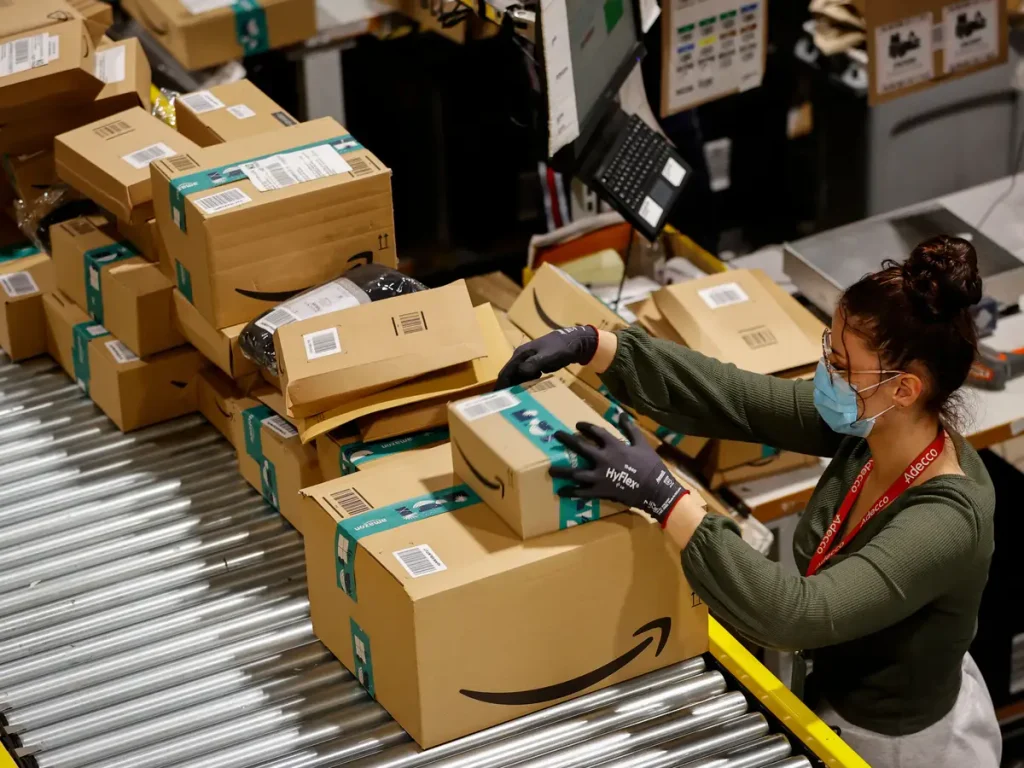
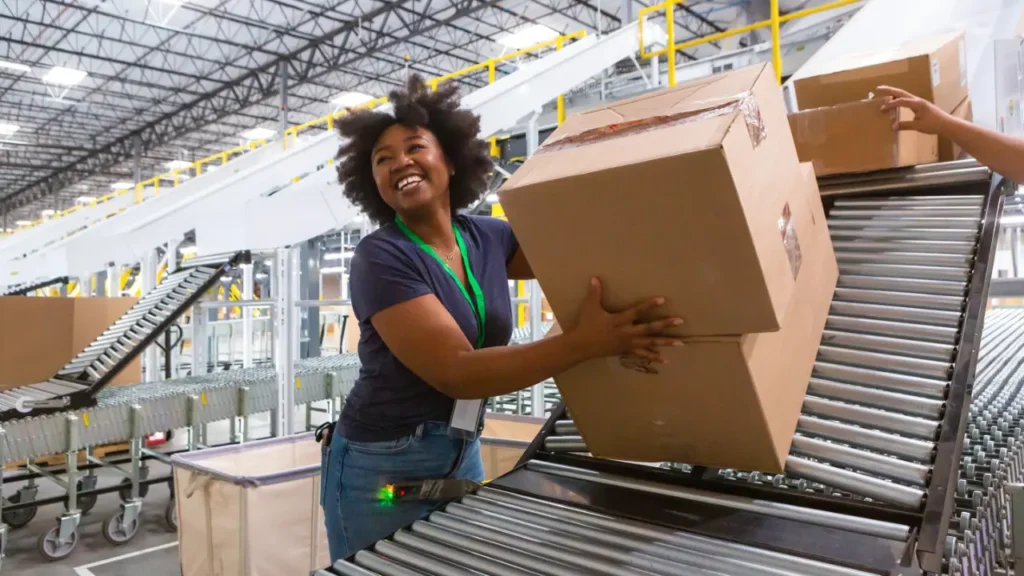
It helps to understand what’s physically happening behind that simple tracking update. When a package arrives at destination facility, it’s unloaded from a truck, trailer, or cargo container and placed onto a conveyor system. High-speed optical scanners read the shipping label and automatically sort the package toward the delivery route it belongs to, based on ZIP code and street address ranges.
Packages that scan cleanly and fit standard sizing move through this process in minutes. Packages that are oversized, mislabeled, or damaged in a way that obscures the barcode get diverted to a manual sorting lane, where an employee has to physically read the label and route it by hand. This is one of the biggest hidden reasons a routine-looking package can spend extra hours, or even an extra day, sitting in arrived at destination facility status compared to a similar package shipped the same day.
Once sorted, packages are grouped by delivery route and loaded into route-specific containers or cages, which are then loaded onto the actual delivery vehicles the following morning (or later the same day, for express services). Only once that loading step is complete does a tracking page typically update to “out for delivery.”
A Quick Real-World Example
Here’s a common scenario. A shopper orders a replacement phone charger with two-day shipping. On day one, tracking shows the package leaving the origin facility. On day two, it updates to arrived at destination facility, right on schedule, and the buyer assumes delivery is coming within hours.
Instead, nothing changes for a full extra day. What actually happened is mundane: the package arrived at the destination facility late in the evening, after that day’s delivery routes had already been loaded and dispatched. It sat overnight, got swept into the next morning’s sorting run, and was loaded onto a delivery vehicle a few hours later than the buyer expected, arriving the following afternoon instead of that same evening.
Nothing went wrong. The package simply arrived at destination facility just outside the daily cutoff window for same-day route loading, a detail that virtually never shows up anywhere on the tracking page itself, but explains a huge share of the “why hasn’t this moved yet” confusion people experience with this exact status.
What to Do If Your Package Is Stuck at “Arrived at Destination Facility”
- Check how long it’s actually been. Compare the time elapsed against the realistic windows listed earlier before assuming something is wrong.
- Look for carrier service alerts. Local weather events and regional facility disruptions are often publicly posted by carriers before they show up clearly in individual tracking pages.
- Confirm your delivery address is complete and correct, including apartment, suite, or unit numbers.
- Contact the carrier directly and reference the specific facility location shown in your tracking history, this gives support agents a concrete starting point.
- Contact the seller or shipper if you purchased the item, since they may have account-level visibility that isn’t available on the public tracking page.
- File a formal inquiry or claim once you’re meaningfully past the expected delivery window for your service level.
- Track everything from a single dashboard using a service like SwiftGrid Express, so you’re not manually checking five different carrier sites to piece together what’s actually happening.
How “Arrived at Destination Facility” Differs by Carrier
USPS
USPS most commonly shows this concept through the “Arrival at Unit” status, which specifically means the package has reached the local Post Office handling final delivery. You can review the full list of official USPS tracking statuses directly on USPS’s own tracking status FAQ page.
FedEx
FedEx uses “At local FedEx facility” and “At destination sort facility” as close equivalents to arrived at destination facility, both indicating the package has reached the last major sorting point before local delivery. FedEx explains its full set of tracking statuses on its official tracking status meaning page.
UPS
UPS typically shows “Arrived at Facility” for the destination-area hub closest to the recipient, generally the step right before the package is loaded for delivery. UPS’s tracking support center allows you to request a formal investigation if a package doesn’t move forward from this status within a reasonable window.
DHL
DHL frequently shows a similar “Arrived at Delivery Facility” status for international shipments once the package has cleared its final international handoff. You can review current shipment statuses through DHL’s own tracking portal.
Amazon Logistics
Amazon’s own delivery network shows a comparable “Arrived at delivery station” update once a package reaches the local facility that will handle final delivery, usually the last checkpoint before it appears on a driver’s route for that day.
International Shipments: “Arrived at Destination Facility” but Still Held in Customs
For international shipments, arrived at destination facility can occasionally show up in your tracking history even while the package is technically still waiting on customs clearance behind the scenes, particularly with postal-partnership services where domestic tracking and customs systems update on slightly different timelines. If your package is international and this status hasn’t progressed, it’s worth understanding how customs clearance timelines actually work, since that process happens separately from the physical movement your tracking page displays. SwiftGrid Express’s cross-border customs brokerage service is specifically built to reduce exactly this kind of clearance delay for shipments moving through our network.
How SwiftGrid Express Helps You Track This Status in Real Time
One of the most frustrating parts of seeing arrived at destination facility is not knowing whether “soon” means later today or three days from now. SwiftGrid Express consolidates real-time scan data across major carriers into a single, easy-to-read tracking dashboard, so you can see exactly how long a shipment has been sitting at this stage compared to a normal timeline, instead of guessing. If you’re currently watching a shipment sit at this status, you can track your package directly through SwiftGrid Express to see its complete scan history in one place. And if you’re shipping something time-sensitive yourself, our air freight and priority expediting service is designed to minimize exactly this kind of local-facility dwell time.
How to Avoid Confusion Around This Status in the Future
- Set realistic expectations the moment you see arrived at destination facility rather than expecting same-hour delivery.
- Check the specific carrier’s own definition of the status, since wording (and what happens next) varies slightly between USPS, FedEx, UPS, and DHL.
- Avoid contacting support the moment the status appears; give it the realistic window outlined earlier in this guide first.
- Use a consolidated tracking tool so you’re comparing your package’s actual timeline against a normal one, rather than relying on memory or guesswork.
If You’re the One Shipping: How to Reduce Dwell Time at This Stage
If you regularly ship products yourself, a few habits reduce how often your own packages sit in arrived at destination facility status longer than necessary. Use complete, standardized address formatting so packages sort automatically instead of getting pulled for manual handling. Choose sturdy, standard-sized packaging wherever possible, since irregular shapes are far more likely to be diverted to slower manual sorting lanes. And where timing genuinely matters, choose a service level with a guaranteed delivery window rather than the cheapest available option, since guaranteed services are generally prioritized ahead of standard ground shipments once they reach a destination facility.
Why Tracking Terminology Isn’t Standardized Across the Shipping Industry
One reason arrived at destination facility causes so much confusion is that there’s no single industry-wide standard for tracking language. USPS, FedEx, UPS, DHL, and Amazon each built their own tracking systems independently, over different years, using their own internal terminology for essentially the same physical milestones. That’s why one carrier says “arrived at destination facility,” another says “at local facility,” and a third says “arrived at delivery station,” all describing the same basic event: your package has reached the last major hub before local delivery.
This lack of standardization is also why third-party tracking aggregators, including multi-carrier tools like SwiftGrid Express, add real value. Instead of learning five different sets of carrier-specific terminology, you get one normalized view of where your package actually stands, regardless of which carrier is physically handling it.
Frequently Asked Questions
Does “arrived at destination facility” mean my package will be delivered today?
Not necessarily. It means the package has reached the local facility responsible for final delivery, but it still needs to be sorted, loaded onto a delivery vehicle, and routed before “out for delivery” appears.
Why has my package said arrived at destination facility for three days with no updates?
This is usually caused by high local volume, weather disruptions, or staffing shortages at that specific facility rather than anything wrong with your particular package. Compare the elapsed time against the standard windows covered earlier in this guide.
Is arrived at destination facility the same as out for delivery?
No. Arrived at destination facility means the package is still inside the local sorting facility. Out for delivery means it has already been loaded onto the vehicle currently on its way to your address.
What’s the difference between arrived at destination facility and USPS’s “Arrival at Unit” status?
They describe essentially the same milestone, the package reaching the local facility responsible for final delivery, just using carrier-specific terminology. USPS tends to use “Arrival at Unit” for this exact stage.
Can international customs delays hide behind an arrived at destination facility scan?
Yes, in some cases. Certain international postal-partnership services can show a domestic-style status update even while final customs confirmation is still being processed separately in the background.
Should I contact the carrier as soon as I see this status?
No, not immediately. Give it the realistic delivery window outlined earlier first, since contacting support before that window has passed usually won’t produce new information.
Does weather really affect delivery after a package reaches arrived at destination facility?
Yes. Local weather conditions can delay the final sorting and route-loading process even after the long-distance portion of the shipment has already been completed successfully.
How do I know which specific facility my package is currently sitting at?
Your tracking history will typically list the city, state, and sometimes a specific facility code alongside the arrived at destination facility update, which you can reference directly when contacting the carrier.
Final Thoughts
Seeing arrived at destination facility on your tracking page is genuinely good news in most cases: it means the long-distance part of your shipment’s journey is finished, and only local processing and delivery remain. Use the realistic timeframes in this guide to judge whether your package is progressing normally or genuinely stuck, and don’t hesitate to reach out to the carrier once you’re meaningfully past the expected window. If you’d rather monitor the entire process from one clean dashboard instead of refreshing a carrier’s app repeatedly, SwiftGrid Express can track your shipment’s full journey, from origin to arrived at destination facility to final delivery, in one place.